 Primecoat
A schedule built around crews
Day, week and month views. The week shows a row per crew, so double-bookings and empty days jump out.
Primecoat runs a painting business from your iPhone: talk through a room and it becomes a priced estimate, your client signs and pays the deposit from a link, and the job lands on your crew's week.
No more estimate in a notes app, proposal in a doc, schedule on a whiteboard and invoices in another tool. Every step picks up where the last one left off.
A keypad that runs length, width, height in feet and inches, 16 room presets, or a LiDAR scan on iPhone Pro.
Your rates for prep, coats, paint tier and patches. Watch the total and your margin as you go.
A branded proposal with Good, Better and Best options, texted from your own number.
Put the job on a crew's week. They get a link with the address, days and scope.
Deposit when they sign, then progress and final invoices by card or bank. Log cash and checks too.
Walk the room and describe what you see. Primecoat turns it into line items on the right room and prices them with your own rates, so you leave the walkthrough with a number.
“Master bedroom, twelve by fourteen, walls and ceiling, two coats, and patch three nail holes.”
Scan a room with LiDAR on an iPhone Pro and the walls, openings and dimensions fill in. Or punch them in on a keypad made for feet and inches.
Your logo, your color, scope by room with photos. Clients open a link, pick an option, add extras, sign with a finger and pay the deposit. No app, no account, no PDF to print.
Snap a photo of the room or the house, pick real paint colors by name and number for walls, trim and ceiling, and Primecoat repaints the photo. Add it to the proposal so the client can see it.
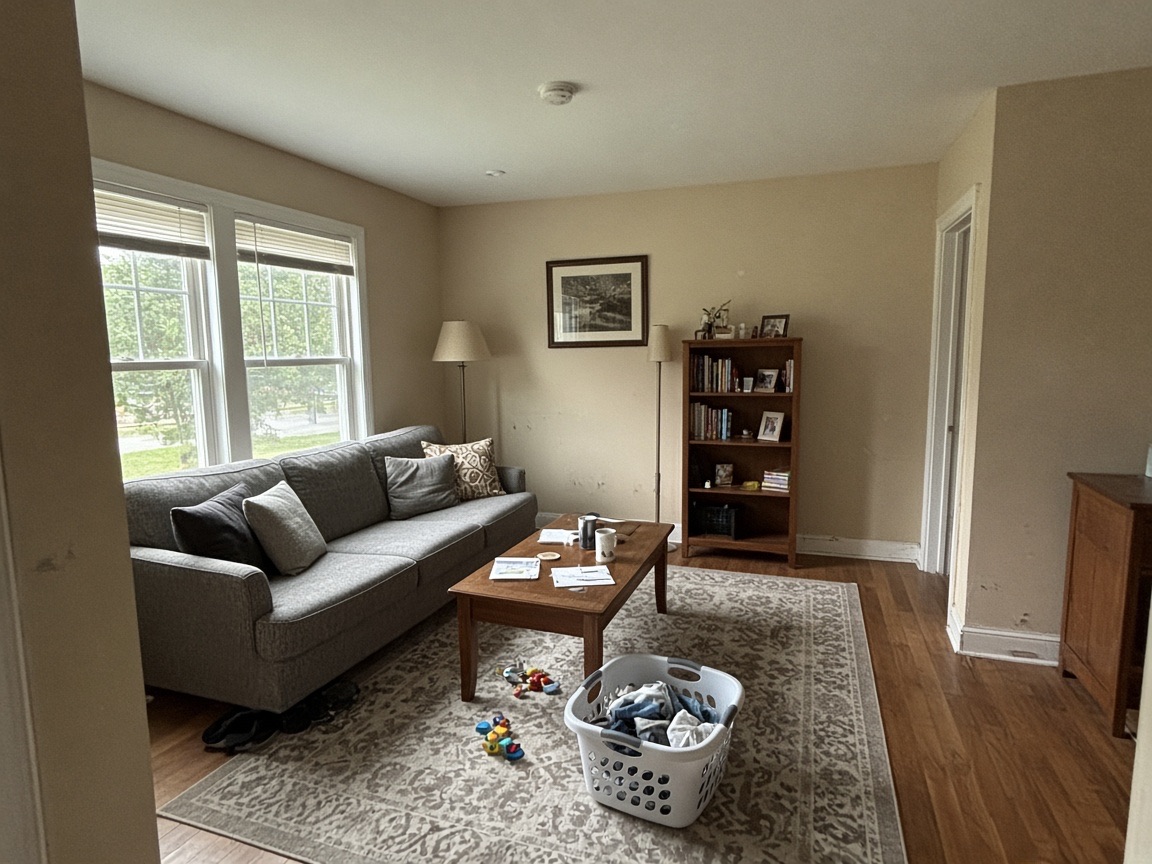

Sample room. The before photo was generated for this page; the preview is Primecoat's own color preview of it, with “tidy” on.
The proposal is only the start. Primecoat keeps the job moving, keeps the client in the loop and keeps the money coming in.
Day, week and month views. The week shows a row per crew, so double-bookings and empty days jump out.
Each person gets a link with their days, the address, site notes and the scope without prices. They confirm, add photos and notes. In English or Spanish.
Tag every photo Before, During, After or Issue, by room. Track progress room by room, then send the client a before-and-after gallery link when you wrap.
Send a pay link for deposits, progress, final and change-order invoices. Clients pay by card or bank. Set up payouts inside Primecoat, with no separate payments dashboard to learn. Refunds, partial payments and disputes are handled in the app.
Today shows who needs a nudge: proposals just viewed, follow-ups due, overdue invoices. AI drafts the message in your tone; you send it from your own number.
Open pipeline, win rate, average job size, money owed to you, revenue by month, and why jobs are lost.
Everything lives on your phone first. Estimate in a basement, then it syncs to every phone on your team when you're back online.
Invite people as owner, admin or estimator. Estimators can build and send quotes without ever seeing your margins.
Join now and use everything at no cost during the beta. Paid plans start when Primecoat reaches the App Store.
Everything in the app today, in exchange for your honest feedback.
For the owner who sells, estimates and paints.
For owners with estimators, an office admin and crews.
Billed monthly through the App Store once Primecoat launches. Crew members you text schedules to don't count as users. Card and bank payments from your clients carry payment processing fees.
Not yet. Primecoat is in a private beta on TestFlight, Apple's beta app program. Join the waitlist and we'll email you an invite as spots open. The App Store release comes after the beta.
An iPhone running iOS 26. LiDAR room scanning needs an iPhone Pro model with LiDAR; everything else works on any supported iPhone. There's no iPad or Android version.
No. Clients open a link in their phone's browser to review the proposal, pick an option, sign and pay. Invoices, change orders and before-and-after galleries work the same way.
Clients pay by card or bank transfer (ACH) through Stripe, and payouts go to your bank account. You set up payouts inside Primecoat, with no separate Stripe dashboard or login. Cash and checks can be recorded too.
Tap to Pay on iPhone, for taking a card in person, is coming soon.
No. Your prices come from your own rates and pricing rules. AI turns what you say into line items, drafts messages in your tone and makes color previews. You review everything before it goes to a client.
Keep working. Primecoat stores everything on your phone and syncs when you're back online. If two people edit the same record, the changes merge field by field.
Yes. Invite teammates as owner, admin or estimator; estimators can't see margins. Crew members don't need the app at all: they get a text with a link to their days, the address, notes and scope, in English or Spanish.
Yes. Export clients, jobs and invoices as CSV, and estimates as JSON, from Settings. You can also delete your account from Settings.
The beta is free. After the App Store launch, Solo is $9.99 a month for one user, and Crew is $29.99 a month for up to 10 users. Both are billed through the App Store, and you can cancel any time in your Apple account settings.
Join the Primecoat beta. It's free, and your feedback shapes what we build next.